Install Amazon Smart Thermostat: How to Upgrade Your Living Space
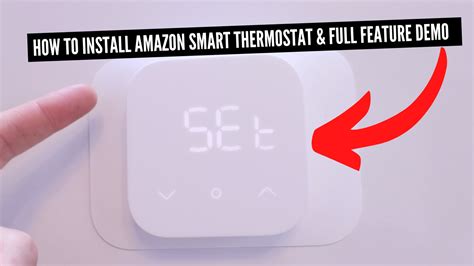
Do you remember the time when you had to manually adjust your thermostat to keep your home at a comfortable temperature? Well, those days are long gone! With the advent of smart thermostats, things have become much easier. And when it comes to choosing a reliable and efficient smart thermostat, Amazon's smart thermostat is one of the best options available in the market.
In this blog post, we will guide you through the process of installing Amazon smart thermostat in your home. We will cover all the essential steps that you need to follow to ensure a smooth and hassle-free installation. So, let's get ed!
1. What is Amazon Smart Thermostat?
Amazon Smart Thermostat is a programmable thermostat that allows you to control the temperature of your home from anywhere using your smartphone or tablet. It uses advanced algorithms to learn your preferences and adjusts the temperature accordingly to save energy and reduce your utility bills.
The thermostat is compatible with most HVAC systems and can be easily installed without professional help. It also features voice control capabilities, which means you can control it using your voice through Alexa-enabled devices.
2. Things to Consider Before Installing Amazon Smart Thermostat
Before you the installation process, there are a few things that you need to consider:
- Compatibility: Make sure that your HVAC system is compatible with Amazon Smart Thermostat. You can check the compatibility on Amazon's website before making a purchase.
- Wi-Fi Connectivity: Amazon Smart Thermostat requires a Wi-Fi connection to function properly. Make sure that your home has a stable and reliable Wi-Fi connection.
- Power Requirements: The thermostat requires a C-wire or a power extender kit to function. Make sure that your HVAC system has a C-wire, or else you'll need to install a power extender kit.
3. Unboxing and Setup
Once you've purchased the thermostat, unbox it and make sure that all the components are present. The box should contain the following items:
- Amazon Smart Thermostat device
- Wall plate
- Screws and anchors
- Quick guide
After checking all the components, follow these steps to set up the thermostat:
- Download the Amazon Alexa app on your smartphone or tablet.
- Open the app and sign in with your Amazon account.
- Tap on the "Devices" tab at the bottom of the screen.
- Tap on the "+" icon at the top right corner of the screen.
- Select "Thermostat".
- Follow the on-screen instructions to connect the thermostat to your Wi-Fi network.
4. Removing Your Old Thermostat
Before you install the Amazon Smart Thermostat, you need to remove your old thermostat. Here are the steps to do so:
- Turn off the power to your HVAC system.
- Remove the cover of your old thermostat.
- Take a picture of the wiring to remember which wire goes where.
- Use a screwdriver to unscrew the mounting plate from the wall.
- Disconnect the wires from the terminal screws.
- Remove the mounting plate from the wall.
5. Installing the Amazon Smart Thermostat
Now that you've removed your old thermostat, it's time to install the Amazon Smart Thermostat. Follow these steps:
- Place the wall plate on the wall and use the screws and anchors to secure it in place.
- Connect the wires from your HVAC system to the corresponding terminals on the wall plate.
- Attach the Amazon Smart Thermostat device to the wall plate.
- Turn on the power to your HVAC system.
- Wait for the thermostat to boot up and follow the on-screen instructions to complete the setup process.
6. Configuring the Amazon Smart Thermostat
After installing the thermostat, you need to configure it according to your preferences. Here are some settings that you need to consider:
- Schedule: Set up a schedule for when you want the temperature to be adjusted.
- Temperature: Select the desired temperature range for your home.
- Geofencing: Use geofencing to automatically adjust the temperature based on your location.
- Smart Alerts: Enable smart alerts to receive notifications in case of any issues with your HVAC system.
7. Alexa Integration
If you have an Alexa-enabled device, you can use voice commands to control the thermostat. Here's how to set it up:
- Open the Alexa app and sign in with your Amazon account.
- Tap on the "Devices" tab at the bottom of the screen.
- Tap on the "+" icon at the top right corner of the screen.
- Select "Thermostat".
- Follow the on-screen instructions to connect the thermostat to Alexa.
8. Troubleshooting
If you face any issues with the installation or configuration process, here are some troubleshooting tips:
- Check the compatibility of your HVAC system with Amazon Smart Thermostat.
- Make sure that your Wi-Fi connection is stable and reliable.
- Ensure that the wires are connected properly to the terminal screws.
- Check if there's a C-wire or power extender kit installed.
9. Maintenance
To ensure that your Amazon Smart Thermostat works efficiently, it's essential to maintain it regularly. Here are some maintenance tips:
- Clean the thermostat regularly using a soft cloth.
- Check the batteries and replace them if needed.
- Replace the air filters in your HVAC system every three months.
10. Benefits of Installing Amazon Smart Thermostat
Here are some benefits of installing Amazon Smart Thermostat in your home:
- Energy Savings: The thermostat uses advanced algorithms to learn your preferences and adjust the temperature accordingly, which leads to significant energy savings.
- Convenience: You can control the thermostat using your smartphone or tablet from anywhere, anytime.
- Voice Control: The thermostat is compatible with Alexa-enabled devices, which means you can control it using your voice.
- Compatibility: The thermostat is compatible with most HVAC systems, which makes it easy to install.
Installing Amazon Smart Thermostat is an excellent way to upgrade your living space. It not only provides convenience but also helps you save on energy bills. Follow the steps mentioned in this blog post to ensure a smooth and hassle-free installation.
Frequently Asked Questions
1. Is Amazon Smart Thermostat compatible with my HVAC system?
You can check the compatibility of Amazon Smart Thermostat with your HVAC system on Amazon's website before making a purchase.
2. Does Amazon Smart Thermostat require a Wi-Fi connection?
Yes, Amazon Smart Thermostat requires a stable and reliable Wi-Fi connection to function properly.
3. How do I install Amazon Smart Thermostat?
Follow the steps mentioned in this blog post to install Amazon Smart Thermostat.
4. Can I control Amazon Smart Thermostat using my voice?
Yes, Amazon Smart Thermostat is compatible with Alexa-enabled devices, which means you can control it using your voice.
5. How do I configure Amazon Smart Thermostat?
Follow the steps mentioned in this blog post to configure Amazon Smart Thermostat according to your preferences.
6. What are the benefits of installing Amazon Smart Thermostat?
Energy savings, convenience, voice control, and compatibility are some of the benefits of installing Amazon Smart Thermostat.
7. How often should I maintain my Amazon Smart Thermostat?
Clean the thermostat regularly, check the batteries, and replace the air filters in your HVAC system every three months.
8. What should I do if I face issues during the installation or configuration process?
Follow the troubleshooting tips mentioned in this blog post.
9. Do I need professional help to install Amazon Smart Thermostat?
No, you don't need professional help to install Amazon Smart Thermostat.
10. What should I do if I have more questions about Amazon Smart Thermostat?
You can contact Amazon customer support for any further queries.
11 Install amazon smart thermostat Images

How Does How Much A Smart Thermostat Save You Money Smart

Online Shopping Bedding Furniture Electronics Jewelry Clothing

Emerson Sensi Touch WiFi Thermostat With Touchscreen Color Display

Install A Nest Thermostat Thermostat Nest Thermostat Nest

Nest Learning Thermostat 3rd Generation Works With Amazon Alexa

Best HomeKit Compatible Devices 2020 For Your Smart Home Ecobee

THE ROUND SMART THERMOSTAT Smart Thermostats Smart Home Smart

Pin On Services

Factory ReCertified Ecobee3 Lite Thermostat Ecobee Smart Thermostats

Honeywell WiFi Smart Thermostat Adjusts To Your Decor Like A Chameleon

Ecobee4 AlexaEnabled Thermostat With Sensor Works With Amazon Alexa
Post a Comment for "Install Amazon Smart Thermostat: How to Upgrade Your Living Space"